- 888-683-3510
- support@siriuspowerpc.com
- Free Shipping On All Orders Above $1500

$3,499.99
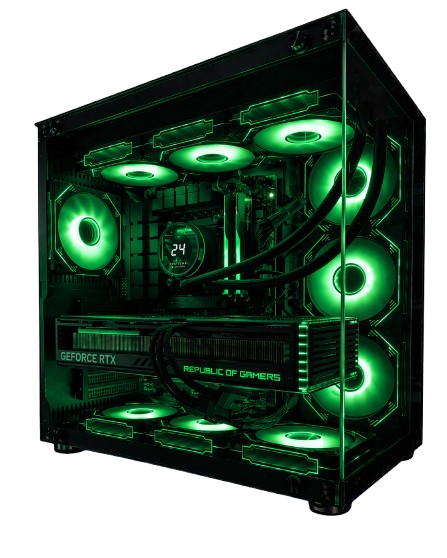
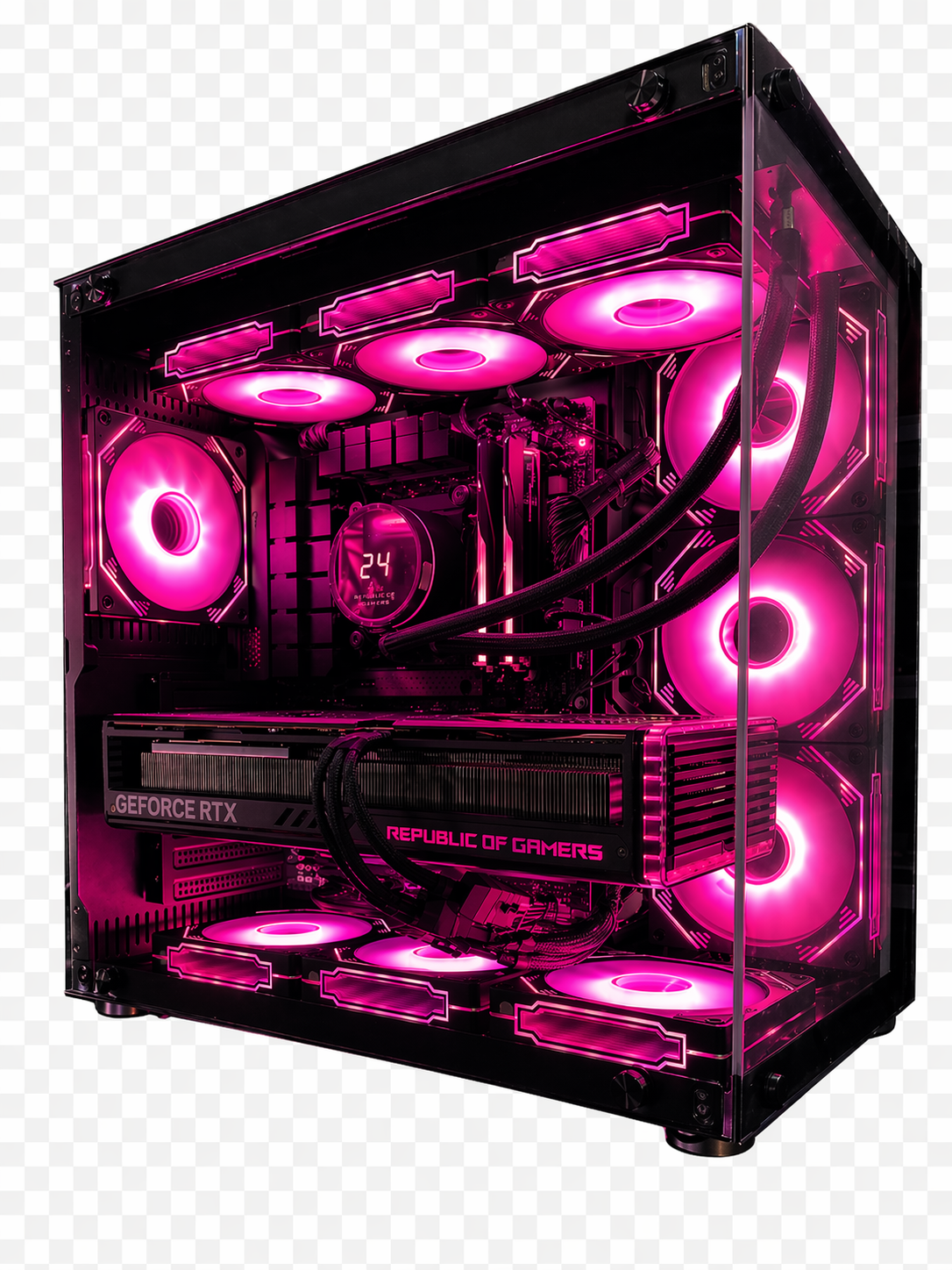
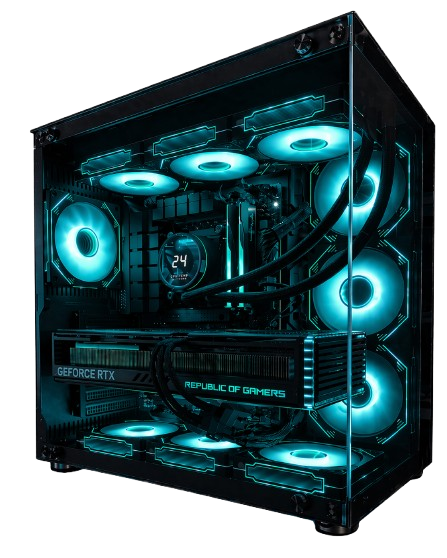
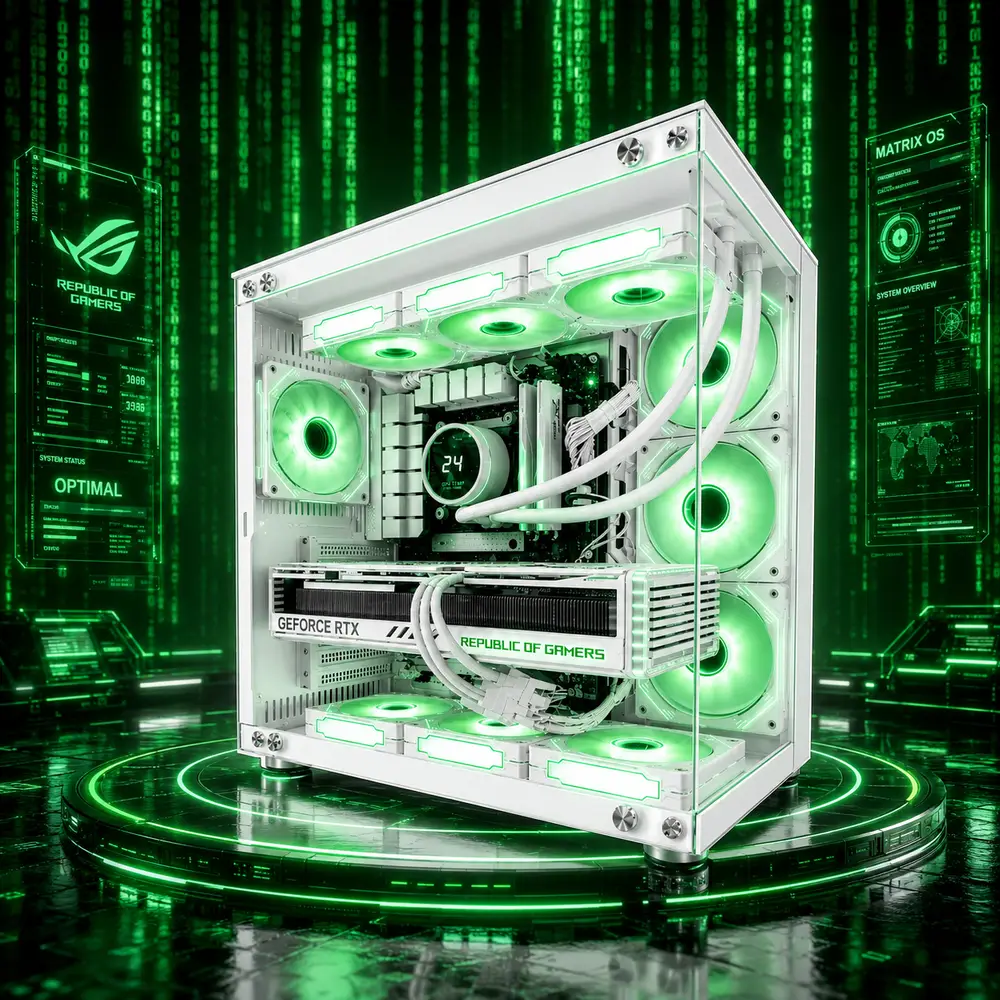
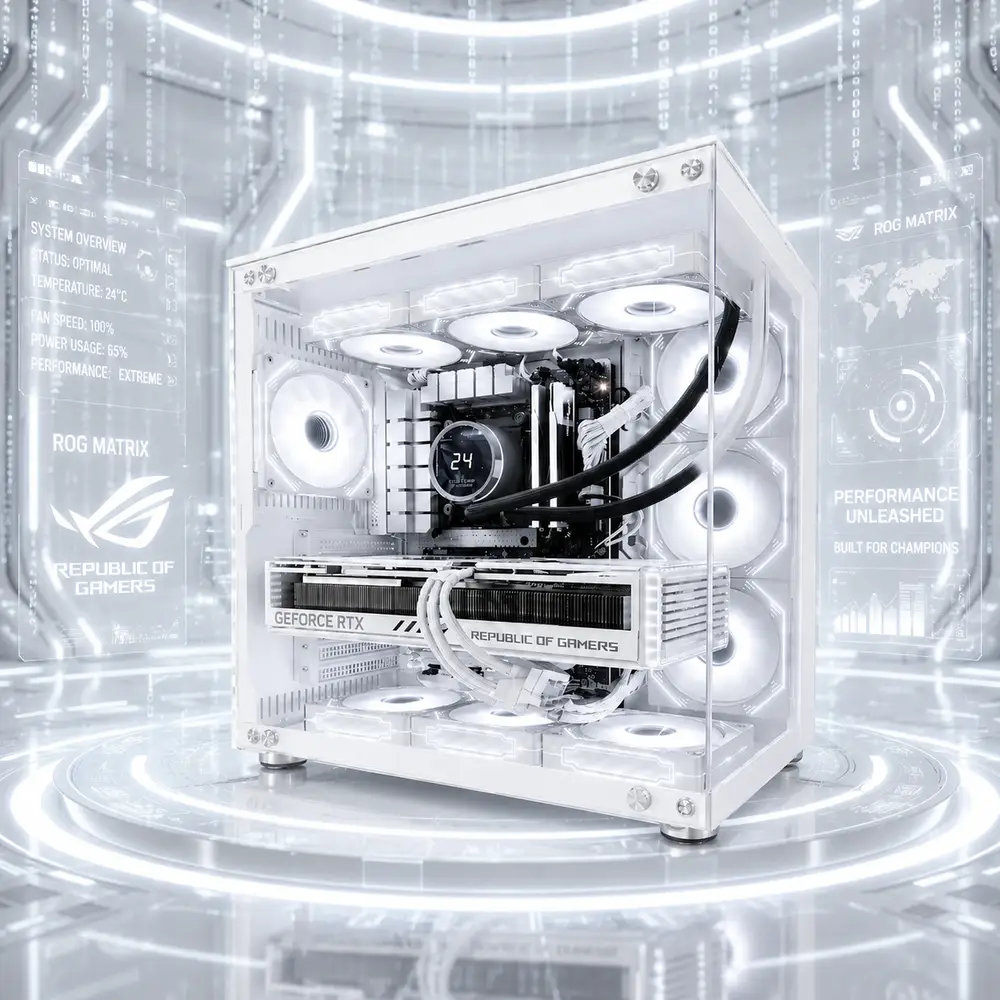
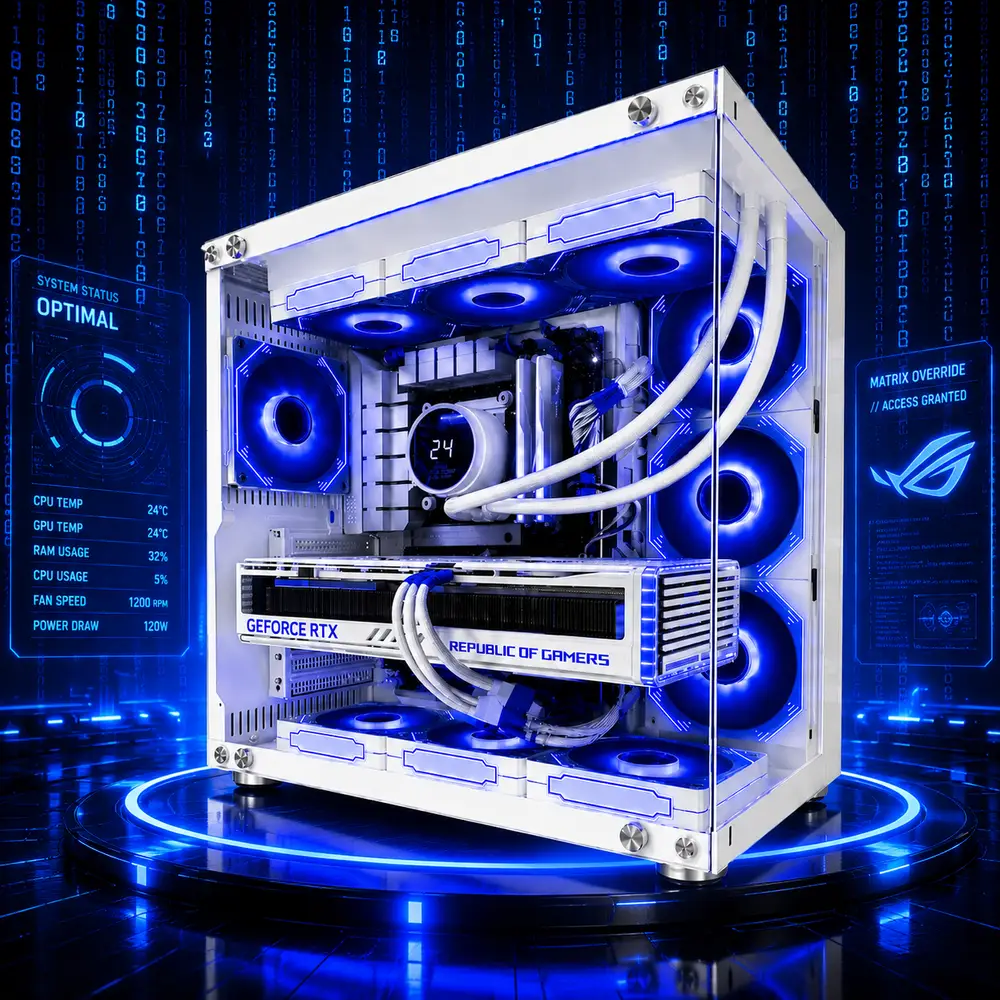
The Matrix Series Ryzen 9 9950X3D Custom Gaming PC starts with a flagship 16-core X3D platform built for premium 4K gaming, streaming, editing, rendering, development, and heavy multitasking—then lets you customize the hardware around your needs.
Base Specifications:
AMD Ryzen 9 9950X3D – 16 Cores / 32 Threads
Gigabyte WINDFORCE OC SFF GeForce RTX 5080 16GB
Gigabyte X870 GAMING WIFI6 Motherboard
32GB RGB DDR5-6000 Memory
Kingston NV3 2TB PCIe 4.0 NVMe SSD
Sirius 360mm AIO Liquid Cooler
Black Matrix PC Case
10 Case Fans
1200W PSU
Windows 11 Home
Customize the case, cooling appearance, motherboard, memory, graphics card, up to three storage drives, power supply, operating system, and available accessories before checkout.
The Matrix Series Ryzen 9 9950X3D Custom Gaming PC is built for customers who want flagship-class gaming performance, serious creator capability, and control over the final configuration without having to design an entire PC from an unrestricted parts list.
This system starts with the AMD Ryzen 9 9950X3D, a 16-core, 32-thread Zen 5 processor with AMD’s 2nd-generation 3D V-Cache technology.
That processor remains the foundation of the build.
From there, the available product options allow you to personalize the components that determine:
When added to the cart without changing any options, the Matrix Series Ryzen 9 9950X3D Custom Gaming PC arrives as a complete premium system featuring an RTX 5080 16GB, 32GB DDR5-6000 memory, 2TB PCIe 4.0 NVMe storage, Sirius 360mm liquid cooling, a 1200W PSU, Windows 11 Home, ten case fans, and the Black Matrix PC Case.
You are not starting with an empty chassis.
You are starting with a high-end 4K gaming and creator PC and changing the parts that matter to you.
16-core X3D at the core. Choose your graphics. Build your storage. Design your Matrix. Sirius Built.
| Component | Base Specification | What It Delivers |
|---|---|---|
| Processor | AMD Ryzen 9 9950X3D – 16 Cores / 32 Threads, 4.3GHz Base, up to 5.7GHz Boost | Elite X3D gaming combined with serious multicore creator and productivity performance |
| CPU Cooler | Sirius 360mm AIO Liquid Cooler | High-capacity cooling appropriate for the 170W Ryzen 9 platform |
| Motherboard | Gigabyte X870 GAMING WIFI6 ATX AM5 | DDR5, PCIe 5.0 graphics, three M.2 positions, USB4, 2.5GbE, Wi-Fi 6, and AM5 expansion |
| Memory | 32GB RGB DDR5-6000 CL36 – 2×16GB | Dual-channel capacity for 4K gaming, streaming, editing, and multitasking |
| Primary Storage | Kingston NV3 2TB PCIe 4.0 NVMe SSD | Fast system storage with useful capacity for Windows, games, applications, and projects |
| Graphics Card | Gigabyte WINDFORCE OC SFF GeForce RTX 5080 16GB | Premium 4K gaming, ray tracing, DLSS, streaming, CUDA, and creator acceleration |
| Operating System | Windows 11 Home 64-bit | Complete modern Windows environment for gaming, streaming, productivity, and creator software |
| Case | Black Matrix PC Case | Premium Sirius showcase design for high-performance hardware |
| Case Cooling | 10 Case Fans | Strong airflow around the GPU, motherboard, storage, radiator, and power hardware |
| Power Supply | 1200W PSU | Significant power headroom beyond the base RTX 5080 requirement |
| Build Package | Sirius assembly, testing, 3-Year Labor Warranty, manufacturer warranties, lifetime support, insured shipping, wooden crate protection, and FREE GAME | A completed, tested, protected, and supported Sirius Power PC |
The base configuration is not a starter shell that requires immediate upgrades.
It is already a high-end gaming and creator system.
Customization simply allows you to decide how far you want to take it.
The Ryzen 9 9950X3D changes the purpose of this custom platform.
The Satellite Ryzen 7 custom configuration is primarily gaming-focused.
The Matrix Series Ryzen 9 9950X3D Custom PC is built for customers who want high-end gaming and enough processor resources for serious work.
AMD lists the Ryzen 9 9950X3D with:
AMD specifically positions the processor for demanding gamers and creators.
That makes this system appropriate for customers who may:
Game at 4K
Stream while gaming
Record gameplay
Edit 4K footage
Render 3D scenes
Use Blender
Work in Unreal Engine
Run Adobe applications
Create content
Compile software
Run several demanding applications simultaneously
This is not simply a gaming processor with extra cores that never get used.
The 16-core design gives the Matrix custom platform a genuine production side.
The Matrix Series Ryzen 9 9950X3D Custom Gaming PC can be configured through the available product options.
You can customize:
You can also add available extras such as:
The Ryzen 9 9950X3D remains the fixed foundation of this product.
The remaining selections allow you to build around it without needing to determine compatibility between hundreds of unrestricted components yourself.
A completely open custom-PC parts list can quickly become complicated.
You may not know:
Which motherboard provides the features you actually need
Which memory capacity makes sense
How much PSU capacity the selected graphics card requires
Whether the GPU fits correctly
Whether the cooler fits the case
How many NVMe drives the motherboard supports
Which M.2 slots share bandwidth
Whether a larger GPU needs more airflow
How the fan layout should be configured
Whether all selected parts are compatible
The Matrix Series Custom PC simplifies that process.
You choose from the compatible options Sirius provides.
Sirius handles:
You control the finished system.
Sirius handles the technical integration.
Every version of this Matrix custom PC begins with the AMD Ryzen 9 9950X3D.
This is not an 8-core gaming-only CPU.
The Ryzen 9 combines 16 cores and 32 threads with AMD’s 3D V-Cache architecture.
That makes it suited to two very different types of workloads.
The X3D architecture makes the processor especially strong for:
The sixteen cores become useful for:
The processor can boost up to 5.7GHz and AMD recommends liquid cooling for optimal performance.
That is why a Sirius 360mm AIO is an appropriate starting cooler for this custom platform.
The default add-to-cart configuration includes the Gigabyte WINDFORCE OC SFF GeForce RTX 5080 16GB.
The RTX 5080 uses NVIDIA Blackwell architecture and includes:
NVIDIA rates the reference RTX 5080 at 360W total graphics power and specifies an 850W required system-power recommendation.
That makes the base configuration a premium 4K gaming and creator PC before any upgrades are selected.
The base RTX 5080 configuration is particularly suited to:
Premium 4K gaming
High-refresh 1440p gaming
Ray tracing
DLSS-supported gaming
High-resolution ultrawide displays
VR gaming
Streaming
Gameplay recording
4K video editing
Blender rendering
Unreal Engine
CUDA-accelerated applications
AI-assisted creator tools
This is not a graphics card that needs to be justified by 1080p benchmarks.
The RTX 5080 makes more sense when you use the additional GPU performance at higher resolutions and in GPU-heavy applications.
The default Ryzen 9 9950X3D and RTX 5080 configuration should be treated primarily as a 4K gaming system.
A strong monitor pairing would include:
| Resolution | Base RTX 5080 Experience |
|---|---|
| 4K | Primary target for AAA gaming, high settings, ray tracing, and cinematic visuals |
| 1440p | Excellent for extremely high refresh rates and competitive gaming |
| Ultrawide | Excellent for immersive gaming, racing, simulations, and productivity |
| 1080p | More GPU performance than most normal 1080p users need |
At 4K, the RTX 5080 does more of the work.
At 1440p, the Ryzen 9 9950X3D becomes particularly useful when chasing extremely high frame rates.
Exact FPS depends on:
Selected GPU
Game update
Driver version
Graphics preset
Ray tracing
DLSS mode
Frame generation
Map or scene
Mods
Background applications
Display resolution
So instead of pretending one number applies to every configuration, the base system should be understood by performance class.
| Game / Workload | 4K Base RTX 5080 Experience | 1440p Base RTX 5080 Experience |
|---|---|---|
| Call of Duty / Warzone | Excellent, high-refresh capable | Extremely high FPS |
| Fortnite | Excellent with High/Ultra or competitive settings | Excellent for high-refresh monitors |
| Apex Legends | Excellent | Extremely high-refresh capable |
| Cyberpunk 2077 | Strong with DLSS and tuned RT settings | Excellent with high visual settings |
| Black Myth: Wukong | Strong with appropriate DLSS settings | Excellent |
| Forza Horizon 5 | Excellent | Extremely strong |
| Baldur’s Gate 3 | Excellent | Extremely strong |
| Starfield | Strong | Excellent |
| Microsoft Flight Simulator | Strong, workload dependent | Excellent high-refresh capability |
| Heavily Modded Games | Strong, subject to mod and VRAM requirements | Excellent |
The base system is powerful enough that game-specific settings become more important than simply asking whether it can run the game.
The RTX 5080 adds more than raw raster performance.
Uses AI-assisted reconstruction to increase performance in supported games.
RTX 50-series cards can generate multiple additional displayed frames in supported titles.
Can improve ray-traced image reconstruction in compatible games.
Designed to reduce system latency in supported competitive titles.
The RTX 5080 includes two ninth-generation NVIDIA encoders, which can benefit supported streaming and production workflows.
AV1 support is useful for modern recording, streaming, and video workflows.
These capabilities make the base system attractive to both gamers and creators.
The base RTX 5080 is powerful, but you are not locked into it if other GPU options are available in the configurator.
The graphics card has the greatest influence on gaming resolution, ray tracing performance, GPU rendering, and VRAM capacity.
The default motherboard is the Gigabyte X870 GAMING WIFI6.
Gigabyte lists support for:
The board supports up to 256GB of DDR5 memory, depending on processor, modules, and supported configuration.
This is a sensible default for a high-end Ryzen 9 build because it gives the system modern connectivity without forcing every buyer into a more expensive enthusiast motherboard.
The motherboard selection should be based on features rather than gaming FPS.
A different option may make sense if you need:
Changing the motherboard does not automatically make the Ryzen 9 or RTX 5080 faster.
The value comes from the platform features you actually use.
The default configuration includes 32GB RGB DDR5-6000 CL36 in a 2×16GB configuration.
For the public product page, there is no need to identify the memory by manufacturer.
The useful information is:
32GB total capacity
Dual-channel 2×16GB configuration
DDR5-6000 speed
CL36 latency
RGB lighting
Thirty-two gigabytes is a strong configuration for:
4K gaming
Streaming
OBS Studio
Discord
Web browsing
Adobe Photoshop
Lightroom
Premiere Pro
Typical DaVinci Resolve projects
General Blender work
Heavy everyday multitasking
For gaming, 32GB is already plenty for most current workloads.
More memory makes sense when you work with:
Large Premiere Pro projects
Adobe After Effects
Complex DaVinci Resolve timelines
Unreal Engine projects
Large Blender scenes
Virtual machines
Software-development environments
AI tools
Multiple professional applications
Very large creative assets
Moving from 32GB to 64GB does not automatically increase gaming FPS.
The benefit is additional workspace for applications that can genuinely consume more memory.
This custom platform can support separate storage selections for:
The base system includes a 2TB Kingston NV3 PCIe 4.0 NVMe SSD as the primary drive.
The Gigabyte X870 motherboard itself provides three M.2 positions, although specific bandwidth behavior depends on which slots are populated.
That makes a three-drive NVMe layout possible when configured correctly.
The default primary drive is a 2TB PCIe 4.0 NVMe SSD.
This drive is normally used for:
Windows 11
Drivers
Core applications
Game launchers
Frequently played games
Active creative projects
Everyday files
Two terabytes is a much more practical baseline than 1TB for a premium gaming system.
Modern AAA games can consume substantial storage, and creator applications add project files, cache, recordings, and exports.
A second drive may be useful for:
Additional games
Large Steam libraries
Gameplay recordings
4K video footage
Photos
Creator projects
Business files
Work data
Dedicated media storage
Separating media files from the Windows drive can also make a creator workflow easier to organize.
A third storage drive can be used for:
Large game libraries
Long-term project storage
4K or 8K recordings
Unreal Engine projects
Blender assets
RAW photography
AI models
Dedicated cache
Business backups
Archived content
Not every customer needs three drives.
The option exists for customers whose storage requirements justify it.
The Matrix custom system starts with a 1200W power supply.
NVIDIA specifies an 850W required system-power recommendation for the reference RTX 5080.
So the 1200W PSU is not included because the RTX 5080 somehow requires 1200W.
It is included to provide significant headroom.
That headroom can be useful for:
Future graphics upgrades
Higher-power GPU options
Additional storage
Expansion cards
Cooling hardware
USB-powered equipment
Transient GPU loads
Long-term upgrade flexibility
For a premium custom system, designing around additional power capacity is more useful than designing around the minimum requirement.
The Ryzen 9 9950X3D has a 170W default TDP, and AMD recommends liquid cooling for optimal performance.
The base system therefore includes a Sirius 360mm AIO.
The cooler supports sustained workloads such as:
Long gaming sessions
Streaming
Video encoding
Rendering
Compiling
Heavy multitasking
Creator applications
A larger radiator does not guarantee a specific processor clock or temperature.
Cooling performance also depends on:
Ambient room temperature
Fan curve
Pump behavior
Case airflow
Workload
BIOS settings
The 360mm AIO simply gives the Ryzen 9 a cooling system appropriate for its performance class.
The Matrix custom system includes ten case fans.
That fan count makes more sense here than it would on an entry-level system because the base build contains a 170W Ryzen 9 processor and a 360W-class RTX 5080 GPU.
The fans help move heat away from:
The RTX 5080
The 360mm radiator
Motherboard power delivery
DDR5 memory
NVMe drives
Internal expansion hardware
The goal is sustained airflow during long gaming, rendering, streaming, and creator workloads.
The base system uses the Black Matrix PC Case.
Customers can choose from the available appearance options offered through the configurator.
Depending on the available selections, this can include:
Case color
Fan color
AIO color
This allows the system to be built around:
A dark Matrix setup
A white Matrix build
Matching fan and cooler colors
A contrasting internal design
An RGB-focused showcase build
A streaming-camera-friendly theme
Visual options do not change the Ryzen 9 processor’s performance.
They change how the finished system looks.
Unlike some Sirius configurations where the operating system is optional, the supplied base specification for this system includes Windows 11 Home 64-bit.
That makes the default configuration ready for:
Gaming
Steam
Epic Games
Xbox PC
Discord
Streaming
Adobe applications
Productivity
Creative software
Everyday computing
Customers who need additional professional Windows features can choose Windows 11 Pro when available through the product options.
Windows 11 Home is suitable for most gamers and home creators.
Windows 11 Pro may make more sense for:
Business use
Remote Desktop hosting
BitLocker management
Advanced administration
Organizational environments
Professional security requirements
Workstation-style deployment
The correct operating system depends on how the completed PC will be used.
The base Ryzen 9 9950X3D and RTX 5080 combination is exceptionally well suited to single-PC streaming.
A real streaming setup often runs:
The game
OBS Studio
Discord
Browser sources
Stream alerts
Webcam software
Music
Chat tools
Hardware monitoring
Background recording
The 16-core Ryzen 9 gives the system significant CPU resources for background applications.
The RTX 5080 provides dual ninth-generation NVENC encoders and AV1 encoding support for compatible recording and streaming workflows.
This is an important difference between this system and a gaming-only 8-core build.
You have much more processor headroom for everything happening around the game.
The base configuration should be treated as a legitimate gaming-and-creator system.
| Software / Workload | Base Configuration Experience | Why |
|---|---|---|
| OBS Studio | Excellent | 16-core CPU plus dual NVENC encoding |
| Adobe Premiere Pro | Excellent | Strong CPU performance plus NVIDIA GPU acceleration |
| DaVinci Resolve | Excellent | RTX GPU acceleration and strong multicore CPU resources |
| After Effects | Very Strong | High CPU performance with 32GB base RAM; heavier projects may benefit from more memory |
| Photoshop | Excellent | Strong single-thread performance, DDR5, and fast storage |
| Lightroom | Excellent | Strong CPU performance for editing and batch workflows |
| Blender | Excellent | RTX CUDA/OptiX acceleration plus 16-core CPU resources |
| Unreal Engine | Very Strong | High-end gaming CPU, RTX graphics, and strong multicore processing |
| Streaming + Recording | Excellent | CPU headroom plus modern NVENC |
| AI-Assisted Applications | Strong | NVIDIA acceleration and 16GB GPU memory |
| Heavy Multitasking | Excellent | 16 cores / 32 threads |
The RTX 5080’s 16GB VRAM does establish a practical ceiling for especially large GPU workloads.
Customers working with very large local AI models, complex professional rendering, or projects requiring more GPU memory should consider a higher-VRAM graphics option when available.
The Matrix Series Ryzen 9 Custom PC makes sense for creators who want to game and edit on one machine.
The Ryzen 9 9950X3D contributes:
16 CPU cores
32 processing threads
High boost clocks
Strong background-processing capability
The RTX 5080 adds:
CUDA acceleration
GPU effects
NVENC encoding
AV1 support
NVIDIA Studio drivers
The 2TB NVMe base drive provides useful working capacity for:
Footage
Projects
Cache
Exports
Applications
Heavy editors should consider adding a second or third NVMe drive so media, cache, and Windows do not all share one primary drive.
The RTX 5080 makes the base configuration especially useful for Blender compared with a similarly priced Radeon-only configuration.
Compatible workflows can use NVIDIA:
CUDA
OptiX
RT cores
Tensor cores
for GPU rendering and supported acceleration.
The Ryzen 9 9950X3D also gives the system significant CPU resources for:
Modeling
Simulation
Asset preparation
Background tasks
CPU-assisted workloads
Multitasking
This makes the Matrix custom platform a strong hybrid gaming and 3D system.
The combination of the Ryzen 9 and RTX 5080 is also suited to:
Unreal Engine
Game development
Shader compilation
Viewport work
Environment design
Asset processing
Programming
Compiling
Multi-application development setups
This is one of the areas where the 16-core CPU can provide a more meaningful advantage than it would in a purely GPU-limited 4K game.
Customers working on especially large Unreal projects should consider increasing system memory and adding dedicated project storage.
A capture card can be selected when the system needs to ingest video from another device.
Useful scenarios include:
Console gameplay capture
Dual-PC streaming
Professional cameras
External video sources
Presentations
Content-production equipment
A capture card is not necessary for ordinary PC gameplay recording because the RTX 5080 already includes dedicated hardware encoders.
It becomes useful when the video originates outside the PC.
A Stream Deck can complement this configuration particularly well because the base system is already powerful enough for streaming and production.
It can be used for:
OBS scene control
Audio shortcuts
Application launching
Macro commands
Production workflows
Stream alerts
Recording control
Creative shortcuts
It does not make the PC faster.
It makes repetitive production actions easier to control.
A high-performance system containing a Ryzen 9, RTX 5080, and 1200W PSU should be paired with a properly sized UPS if power protection matters.
A UPS can provide:
Temporary battery power
Time to save active work
Controlled shutdown
Protection from brief outages
Additional electrical protection
The UPS must be selected according to the actual connected load, including:
The PC
Monitor
Networking hardware
External drives
Other protected devices
The PSU being rated for 1200W does not mean the PC continuously consumes 1200W.
UPS sizing should use realistic load requirements rather than PSU nameplate wattage alone.
Available accessories can turn the Matrix custom PC into a complete gaming-and-work setup.
Useful for gaming, movies, music, meetings, and general desktop audio.
Useful for racing, sports titles, platformers, action games, and console-style PC gaming.
Useful for:
Word processing
Spreadsheets
Presentations
Schoolwork
Business documents
General productivity
These extras do not alter internal gaming performance.
They change what the completed setup can do immediately after delivery.
Sirius Power PC understands that desktop PCs are designed to be upgraded.
Installing compatible upgrades does not automatically cancel the Sirius labor warranty or unrelated coverage simply because the system was opened.
However, damage directly caused by:
An incompatible component
Improper installation
A defective aftermarket component
Modification
Installation damage
is not covered by the Sirius labor warranty.
Individual component warranties remain subject to their applicable manufacturer terms.
This gives customers room to improve their Matrix system later without treating the computer as a sealed appliance.
Every Matrix Series Ryzen 9 9950X3D Custom Gaming PC includes:
Professional Sirius assembly
Compatibility review
BIOS configuration
Memory setup
Storage installation
Windows setup
Driver installation
Cable management
Cooling configuration
Airflow setup
Full system stress testing
Thermal verification
3-Year Labor Warranty
Applicable manufacturer warranties
Lifetime Technical Support
Insured shipping
Wooden crate protection
FREE GAME included
The options selected through the configurator are installed and tested as part of the complete build.
You do not receive a base PC plus a box of upgrades.
You receive the completed configuration you selected.
The Matrix Series Ryzen 9 9950X3D Custom Gaming PC is a strong fit for:
Customers who want RTX 5080-class performance as the starting point.
Users who game but also edit, render, stream, compile, or work in professional applications.
The 16-core CPU and RTX hardware encoders create substantial single-PC streaming headroom.
Ryzen 9 CPU resources, RTX acceleration, and configurable storage make the platform useful for production.
The combination of high CPU resources and NVIDIA GPU acceleration makes this a capable development and rendering platform.
The 16-core processor makes sense for customers who regularly run multiple demanding applications.
Choose the appearance and hardware options that matter without solving compatibility yourself.
A Ryzen 7 X3D configuration may provide excellent gaming performance without paying for sixteen CPU cores.
This base RTX 5080 configuration provides far more graphics performance than normal 1080p gaming requires.
Consider a higher-VRAM GPU or Sirius workstation configuration.
A Threadripper workstation may provide more cores, memory bandwidth, and PCIe expansion.
That is exactly where this Matrix custom platform makes sense.
| Feature | Base Add-to-Cart Configuration | Customized Configuration |
|---|---|---|
| CPU | Ryzen 9 9950X3D | Ryzen 9 9950X3D |
| Case | Black Matrix PC Case | Customer-selected available option |
| Fans | 10 base fans | Customer-selected available color |
| AIO | Sirius 360mm AIO | Customer-selected available color |
| Motherboard | Gigabyte X870 GAMING WIFI6 | Customer-selected compatible option |
| Memory | 32GB DDR5-6000 | Customer-selected available capacity |
| GPU | Gigabyte WINDFORCE OC SFF RTX 5080 16GB | Customer-selected available GPU |
| Main Storage | Kingston NV3 2TB Gen 4 NVMe | Customer-selected drive |
| Second Storage | Not included unless selected | Optional |
| Third Storage | Not included unless selected | Optional |
| PSU | 1200W | Customer-selected available option |
| Operating System | Windows 11 Home | Customer-selected available option |
| Extras | Base package | Optional capture card, speakers, UPS, Stream Deck, controller, and Office |
The product price changes as available options are adjusted.
The base configuration gives you:
✅ AMD Ryzen 9 9950X3D
✅ 16 cores / 32 threads
✅ 2nd-generation 3D V-Cache
✅ Gigabyte WINDFORCE OC SFF RTX 5080 16GB
✅ NVIDIA Blackwell architecture
✅ 16GB GDDR7
✅ DLSS 4
✅ Ray tracing
✅ Dual NVENC encoders
✅ Gigabyte X870 GAMING WIFI6
✅ PCIe 5.0 graphics support
✅ Three M.2 positions
✅ Dual USB4
✅ 2.5Gb Ethernet
✅ Wi-Fi 6
✅ 32GB RGB DDR5-6000
✅ Kingston NV3 2TB PCIe 4.0 NVMe
✅ Windows 11 Home
✅ Sirius 360mm AIO
✅ 1200W PSU
✅ Black Matrix PC Case
✅ Ten case fans
✅ Case customization
✅ Fan customization
✅ AIO customization
✅ Motherboard options
✅ Memory options
✅ GPU options
✅ Three storage selections
✅ PSU options
✅ Operating-system options
✅ Capture-card option
✅ Speaker options
✅ UPS options
✅ Stream Deck option
✅ Controller option
✅ Microsoft Office option
✅ Professional Sirius assembly
✅ Full system stress testing
✅ Thermal verification
✅ 3-Year Labor Warranty
✅ Manufacturer warranties
✅ Lifetime Technical Support
✅ Insured shipping
✅ Wooden crate protection
✅ FREE GAME included
The base system already belongs in the premium performance category.
Customization lets you decide whether to keep that balanced configuration or turn it into something even more specialized.
The default add-to-cart configuration includes a Ryzen 9 9950X3D, Gigabyte X870 GAMING WIFI6 motherboard, 32GB DDR5-6000 memory, Kingston NV3 2TB PCIe 4.0 NVMe SSD, Gigabyte WINDFORCE OC SFF RTX 5080 16GB, Sirius 360mm AIO, Black Matrix PC Case, ten case fans, 1200W PSU, and Windows 11 Home.
No. The Ryzen 9 9950X3D is the fixed processor and foundation of this custom-PC product.
The Ryzen 9 9950X3D has 16 cores and 32 threads and can boost up to 5.7GHz.
Yes. The RTX 5080 makes premium 4K gaming the primary gaming target of the default configuration.
Yes. At 1440p, the system is especially suited to very high-refresh gaming.
The RTX 5080 includes 16GB GDDR7 memory.
Yes. NVIDIA lists support for DLSS 4, Super Resolution, Ray Reconstruction, Frame Generation, and Multi Frame Generation.
Yes. Select from the available graphics-card options in the product configurator.
The base configuration includes 32GB DDR5-6000 CL36 in a 2×16GB dual-channel configuration.
Yes. Select from the available memory-capacity options.
Not necessarily. If the game already fits comfortably within 32GB, increasing capacity may not materially improve average FPS. More memory is primarily useful for larger professional workloads and heavy multitasking.
The base configuration includes a 2TB Kingston NV3 PCIe 4.0 NVMe SSD.
Yes. The configurator can provide separate selections for the primary, second, and third storage drives.
Yes. Gigabyte lists three M.2 positions on the X870 GAMING WIFI6, although bandwidth behavior differs between the slots and certain slots share bandwidth.
Yes. The Gigabyte X870 GAMING WIFI6 includes two rear USB4 Type-C ports.
Yes. The base motherboard includes Wi-Fi 6 and Bluetooth 5.3.
Yes. The motherboard includes 2.5Gb Ethernet.
NVIDIA lists an 850W system-power recommendation for the reference RTX 5080. The 1200W PSU provides additional headroom for the Ryzen 9, cooling system, storage, expansion, higher-tier GPU options, and future upgrades.
AMD rates the Ryzen 9 9950X3D at 170W and recommends liquid cooling for optimal performance. The Sirius 360mm AIO provides cooling capacity appropriate for sustained high-performance workloads.
Yes. The supplied base configuration includes Windows 11 Home 64-bit.
Yes, when offered through the operating-system options.
Yes. The 16-core Ryzen 9 and RTX 5080 with dual NVENC encoders make the base configuration very well suited to gaming, recording, and streaming from one system.
Yes. The Ryzen 9 provides strong CPU performance while the RTX 5080 provides NVIDIA GPU acceleration and hardware encoding for supported Premiere Pro workflows.
Yes. The RTX 5080 provides strong GPU acceleration for Resolve, while the Ryzen 9 contributes substantial multicore resources.
Yes. The RTX 5080 supports CUDA and OptiX acceleration, while the Ryzen 9 provides strong CPU resources for modeling, simulations, and background work.
Yes. The combination of a 16-core processor, RTX 5080 graphics, DDR5 memory, and configurable NVMe storage makes it a strong Unreal Engine and game-development platform.
Yes. A capture card can be added for console capture, dual-PC streaming, professional cameras, and other external video sources.
Yes. An available Stream Deck can be added through the product extras.
Yes. Choose an appropriately sized UPS option based on the completed PC and connected equipment.
Yes. Available speaker and controller options can be added through the configurator.
Yes. An available Microsoft Office option may be added for business, school, and productivity use.
Yes. Components selected through the configurator are installed and configured as part of the completed PC.
Yes. The completed system is assembled, configured, stress-tested, and thermally verified before shipping.
This product is best for premium 4K gamers, streamers, creators, editors, Blender users, Unreal Engine developers, heavy multitaskers, and customers who want the Ryzen 9 9950X3D as a fixed high-end foundation while retaining control over graphics, memory, storage, appearance, power, operating system, and accessories.
The Matrix Series Ryzen 9 9950X3D Custom Gaming PC begins where many gaming PCs end.
Its standard configuration already includes a:
Ryzen 9 9950X3D
RTX 5080 16GB
32GB DDR5-6000
2TB Gen 4 NVMe SSD
X870 motherboard
360mm liquid cooler
1200W PSU
Black Matrix PC Case
Ten-fan cooling system
Windows 11 Home
The Ryzen 9 gives the system 16-core X3D gaming and production capability.
The RTX 5080 gives it premium 4K graphics, Blackwell ray tracing, DLSS 4, NVENC, CUDA, and creator acceleration.
The X870 motherboard gives it modern storage, USB4, networking, and AM5 expansion.
The 1200W PSU gives it enough headroom that the custom platform is not designed around today’s minimum requirements.
And the configurator lets you adjust the appearance, motherboard, memory, GPU, three storage drives, power supply, operating system, and optional equipment around the way you actually plan to use the computer.
Customization does not mean starting with nothing.
It means starting with a complete Ryzen 9 9950X3D + RTX 5080 high-end PC and deciding where you want to take it next.
Start with 16-core X3D. Choose your graphics. Build your storage. Design your Matrix. Sirius handles the rest.
| Ram | 32 GB, 64 GB |
|---|---|
| Storage 1 (Main/Boot Drive) | 1 TB NVMe, 2 TB NVMe |
| Storage 2 | None, 2 TB NVMe, 4 TB NVMe |
You must be logged in to post a review.

-
Select options This product has multiple variants. The options may be chosen on the product page-
Select options This product has multiple variants. The options may be chosen on the product page-
Select options This product has multiple variants. The options may be chosen on the product page-
Select options This product has multiple variants. The options may be chosen on the product page
Reviews
There are no reviews yet.